Kids Mode: the Quran, made for little hearts
Kids Mode turns Qurani into a bright, friendly world built just for children. Short surahs they can repeat after a beloved reciter, little duas for everyday moments, the blessed names of the Prophet ﷺ and his companions, and gentle quiz games that reward learning with stars. No ads, no accounts, no outside links, and a parental gate keeps children safely inside.
What is Kids Mode?
Kids Mode is a separate, child-friendly experience inside the free Qurani app. One tap in Settings switches the whole app into a colorful, simplified world with five kid-sized tabs: Home, Quran, Names, Games, and Duas. Everything is narrated, everything is tappable, and everything was designed so a child aged roughly 3 to 9 can explore on their own. Leaving Kids Mode requires passing a grown-ups-only gate, so your child stays in a safe space until you decide otherwise.
What's inside
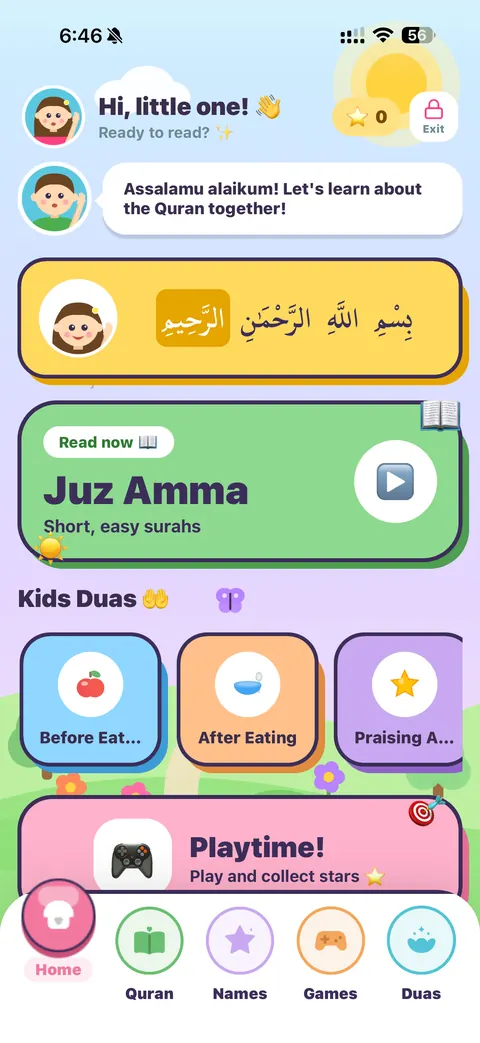
A warm, joyful home
Children are greeted by name-free, friendly characters and a wave of 'Assalamu alaikum'. The home screen invites them to read Juz Amma, jump into everyday duas like before and after eating, or head to Playtime to collect stars. The Bismillah card at the top gently teaches the phrase every recitation begins with.
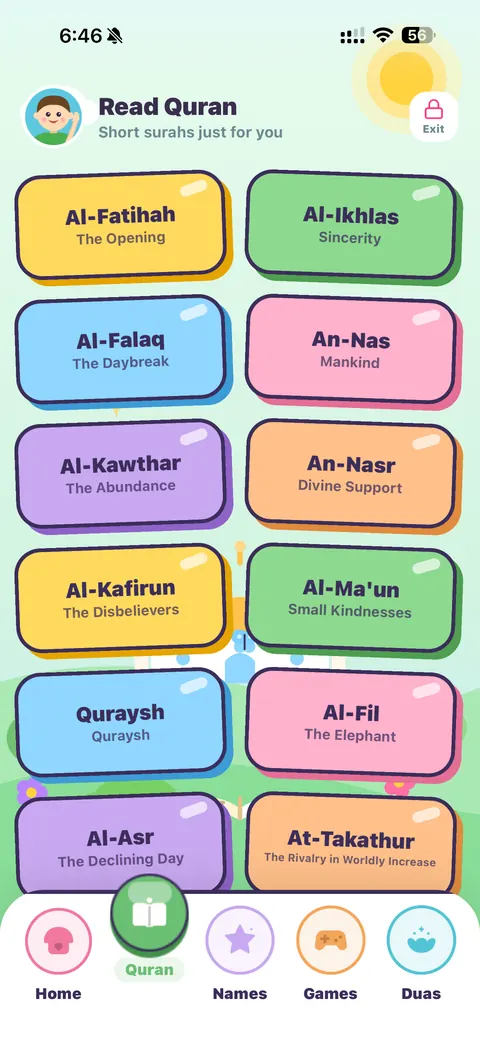
Short surahs, just for them
The Quran tab focuses on Juz Amma: the short, easy surahs children memorize first. Each surah card shows its name and meaning in simple words, from Al-Fatihah (The Opening) to Al-Ikhlas (Sincerity), An-Nas (Mankind), Al-Fil (The Elephant) and more, in big, colorful cards a small hand can tap.
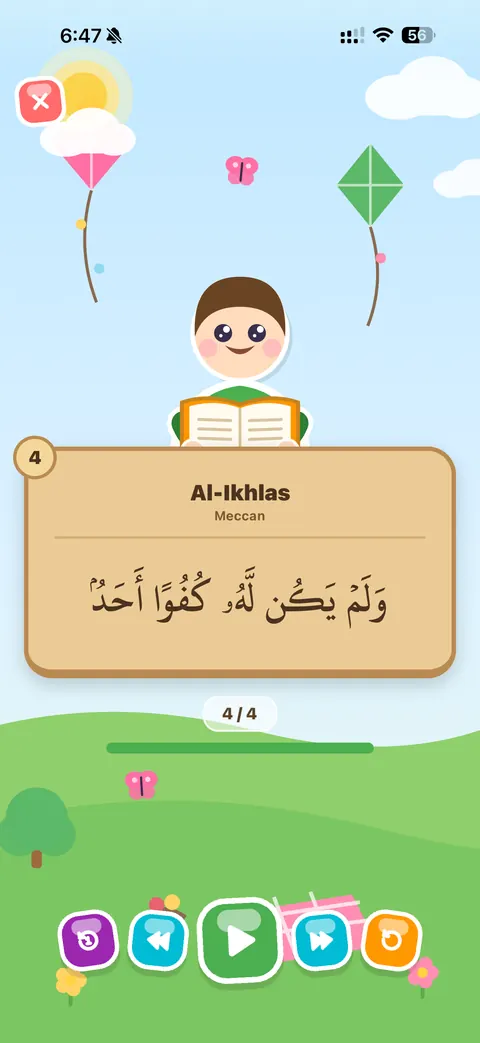
Repeat-after-me recitation
The kids reader shows one ayah at a time in large, clear Uthmani script against a cheerful sky-and-meadow scene. A child character 'reads along' from an open mushaf while the recitation plays in a special children's style: the sheikh recites, then pauses so your child can repeat. Simple large controls let kids replay an ayah, move forward, or restart the surah.
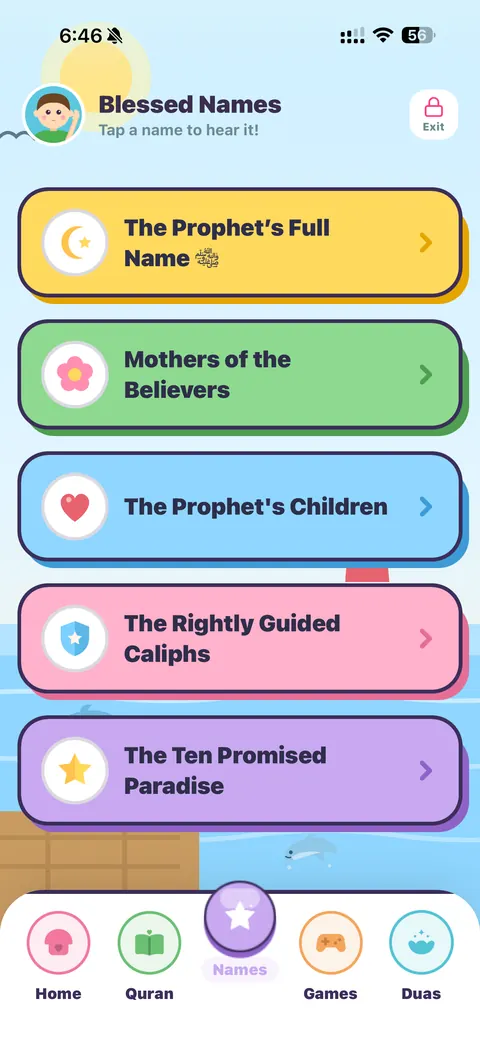
Blessed Names to know and love
A dedicated Names tab introduces children to the Prophet's full name ﷺ, the Mothers of the Believers, the Prophet's children, the Rightly Guided Caliphs, and the Ten Promised Paradise. Tap any name to hear it pronounced beautifully, so the names of the best generation become familiar from an early age.
Games that teach, stars that motivate
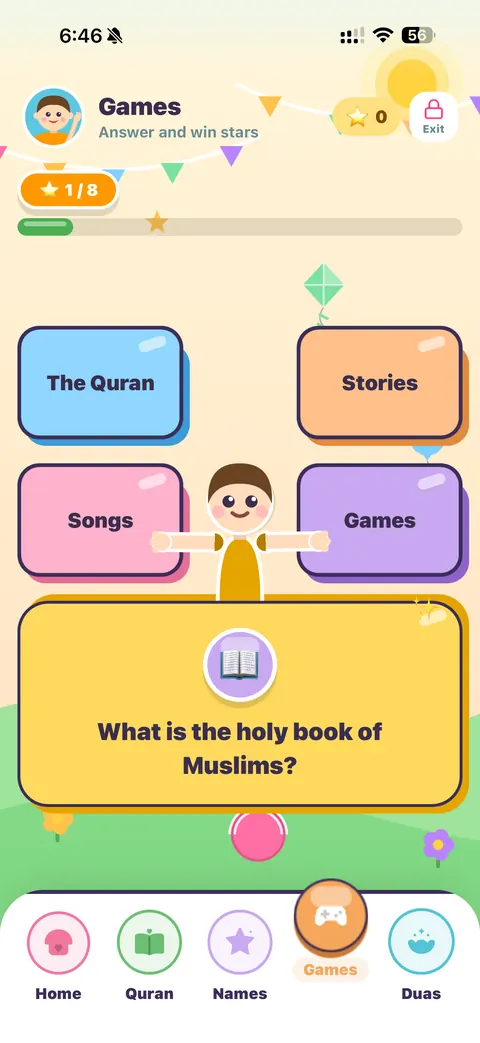
The Games tab asks friendly questions about the Quran, prophets' stories, and Islamic basics: 'What is the holy book of Muslims?' Children answer by tapping big colorful cards and collect stars for every correct answer. It is quiet, gentle learning dressed up as play, with no timers, no losing, and no pressure.
Little duas for every day
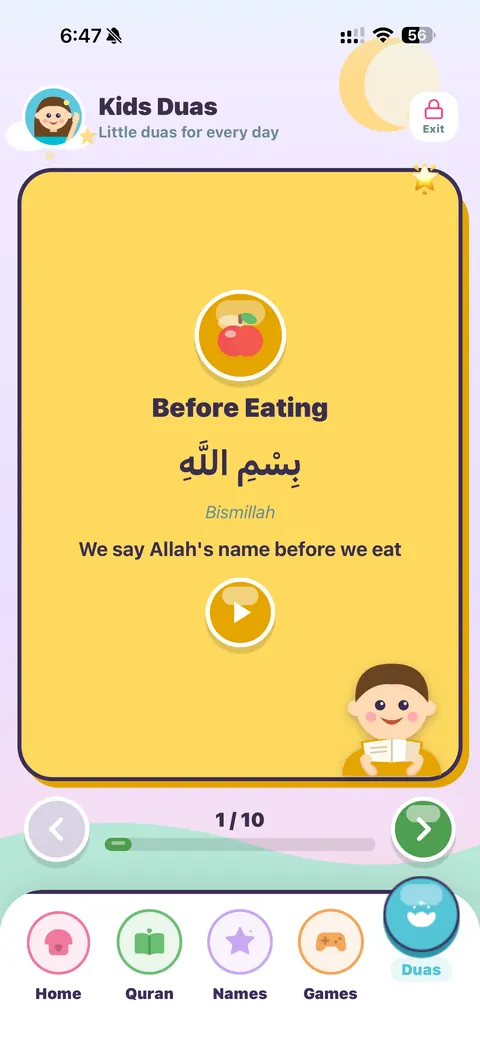
Ten everyday duas, one bright card at a time: before eating, after eating, praising Allah, and more. Each card shows the short Arabic text, an easy transliteration, and a one-line meaning a child can understand, with audio a tap away. Small supplications become daily habits without any memorization pressure.
Built safe, by design
Qurani has no ads, no in-app purchases, no accounts and no tracking anywhere in the app, and Kids Mode adds one more layer on top: a locked exit.
- A grown-ups-only gate (a small math question or your PIN) is required to leave Kids Mode, so children cannot wander into the full app.
- No ads or purchases anywhere: nothing to tap into by accident, ever.
- No external links inside Kids Mode: the child's world begins and ends in the app.
- No account, no sign-up, no personal data: nothing about your child is collected.
- Gentle audio and soft animations: designed to calm, not overstimulate.
- Forgot your PIN? No problem: the parent master code 0011 always turns Kids Mode off, so you are never locked out.
How to turn Kids Mode on and off
- 1Open Qurani and go to the Settings tab.
- 2Tap the Kids Mode box at the top and confirm: the app instantly switches to the kids home.
- 3Hand the device to your child: the five kids tabs are all they can reach.
- 4To exit, tap the lock button in the corner and pass the grown-ups gate. The app returns to normal exactly as you left it.
Free, offline, and yours
Kids Mode is part of Qurani, which is completely free with no premium tiers. The surahs, duas, names and games work offline once downloaded, so it is perfect for car rides, flights and bedtime routines with no connection. Your settings and your child's stars live only on your device.
Questions parents ask
What is Kids Mode in the Qurani app?
It is a separate child-friendly mode inside the free Qurani app, with five simple tabs: a kids home, short surahs from Juz Amma with repeat-after-me recitation, blessed names with audio, Islamic quiz games with star rewards, and ten everyday duas with easy meanings.
What age is Kids Mode designed for?
Roughly ages 3 to 9. Pre-readers can tap and listen to everything; early readers can follow the large Uthmani script and the simple English meanings and transliterations.
How does my child learn to recite with it?
The kids reader uses a repeat-after-me recitation style recorded for children: the reciter reads a short portion, then leaves a pause for the child to repeat. One ayah is shown at a time in large clear script, with big replay and next buttons.
Can my child exit Kids Mode or reach the full app?
Not without you. Leaving Kids Mode requires passing a grown-ups-only gate: a small math question, or your PIN if you set one. Everything else in the full app stays out of reach.
Is it really free? Are there ads?
Yes, completely free, and no. Qurani has no ads, no in-app purchases, no subscriptions and no accounts anywhere in the app, including Kids Mode.
Does Kids Mode work offline?
Yes. Once the audio is downloaded, the surahs, duas, names and games all work without a connection, so it travels well on flights and long car rides.
Give your child their first Quran companion
Qurani is free, with no ads and no accounts. Kids Mode is inside, one tap away.